About Pavilion
What is Pavilion?
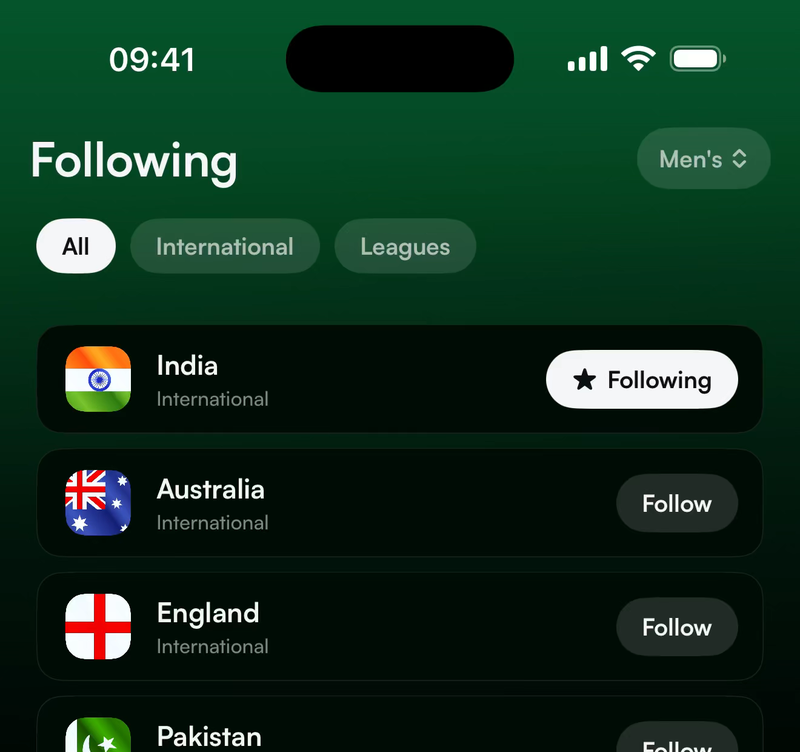
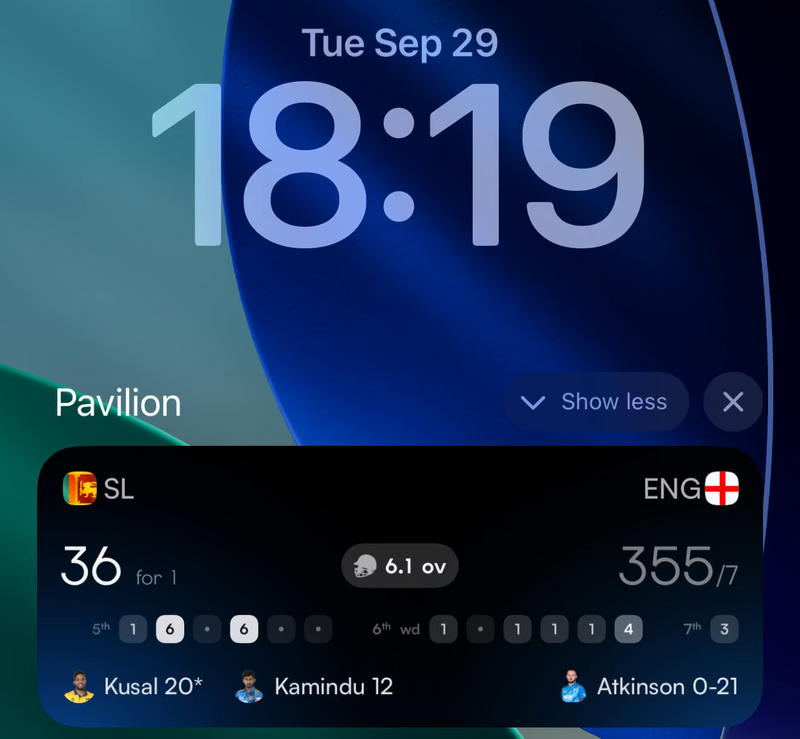
Pavilion is an iPhone app for following live cricket. You choose the teams you follow, and the app puts their matches first. During a match the score is on your Lock Screen, so you do not need to open the app.
Which phones does it work on?
Pavilion needs an iPhone with iOS 18 or later. The Dynamic Island view needs an iPhone that has a Dynamic Island. Pavilion is made for iPhone, and there is no iPad version.
When is Android coming?
We are building it now. You can join the list of testers, and we will write to you the moment it is ready.
How much does it cost?
Pavilion is free. It has no ads and no in-app purchases.
If Pavilion is free and has no ads, how will you make money?
Pavilion is free today. Later we plan to build extra features that are worth paying for, and some of those may cost money. Following your teams, the coverage, the live scores and the Lock Screen score stay free.
We do not show ads today, and we will not show the kind that gets in the way of following a match. We do not sell your data.
What makes Pavilion different?
Four things.
- Your teams come first. Home leads with the matches you follow, and you can switch to all cricket whenever you want it.
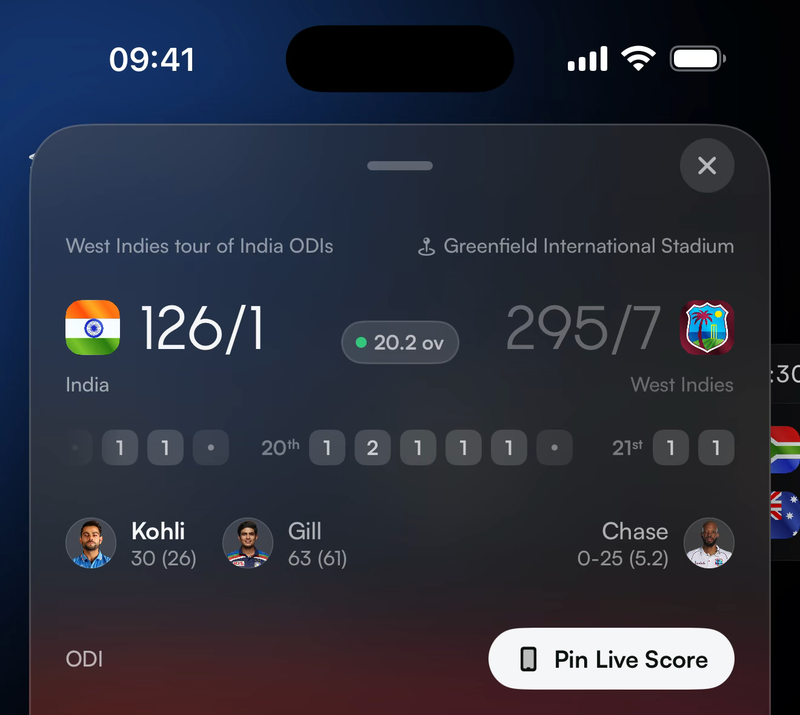
- The score comes to you. When a match you follow starts, it appears on your Lock Screen and updates ball by ball, with the moments that matter, such as a fifty, a wicket or the state of a chase.
- It is made around you. Fans of other sports have had apps built around what they follow for years. Pavilion is that app for cricket.
- Nothing gets in the way. There are no ads, and we do not sell your data.
Which cricket does Pavilion cover?
Pavilion covers international cricket and a growing list of leagues. For each competition you can see the fixtures, the results and the table.
Domestic competitions are not in yet, and they are on the list. We do not cover every series yet, and we are working to add more. You can tell us which series you want to see first. We use the answers to decide what to add next.
The score on your Lock Screen
How do I get the score on my Lock Screen?
Follow a team. When that team's match starts, the score appears on your Lock Screen by itself and updates as the match is played.
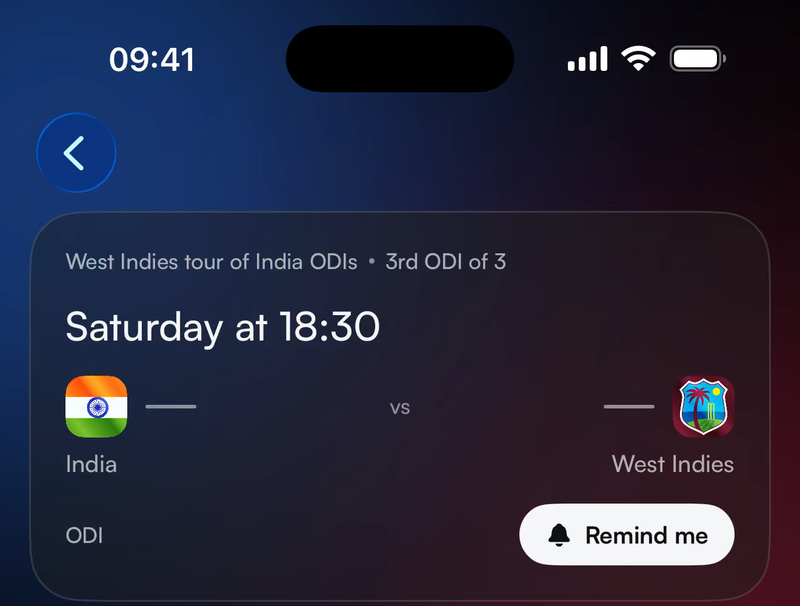
You can also follow one match without following either team. On a match that has not started, choose Remind me. On a match being played, choose Pin Live Score.
The score is not on my Lock Screen. What should I check?
Check these three things.
- You are signed in, and you follow the team, or you chose Remind me or Pin Live Score on the match.
- Live Activities are turned on for Pavilion. Open the Settings app on your iPhone, choose Pavilion, and turn on Live Activities.
- The match has started. The score appears when play begins, not before.
If all three are right and the score is still missing, write to [email protected] and tell us which match it was.
Why did the score leave my Lock Screen?
There are four possible reasons.
- The match ended. Pavilion shows the result for a while, and then the card goes away.
- Play ended for the day. In a Test, the card goes away at the end of each day's play and comes back when play starts the next day.
- The match has run for more than eight hours. An iPhone ends any Live Activity after eight hours. Pavilion starts it again if the match is still being played.
- You swiped the card away. Pavilion does not put it back for that match. To get it back, open the match and choose Pin Live Score.
How quickly does the score update?
The score updates after every ball. At times an update can arrive late. If the score is slow for you, please write to [email protected] and tell us which match it was. We are working to make every update as fast as it can be.
Following and your account
Do I need an account?
No. You can look at scores, fixtures and tables without an account. You need an account to follow a team or pin a match, because we save what you follow to your account.
How do I sign in?
You can sign in with Apple, with Google, or with your email address. If you use your email address, we send you a six digit code. There is no password.
If the code does not arrive, check your junk or spam folder. If it is there, mark it as not junk, so the next one reaches your inbox.
How do I delete my account?
Open Settings in the app and choose Delete Account. We delete your account, the teams and matches you follow, and your notification settings. You cannot undo this.
Our analytics and crash report providers keep their records for a set period and then delete them. If you want those removed sooner, write to [email protected].
Privacy
What do you know about me?
We keep your name and email address, which come from the way you sign in. We keep the teams and matches you follow. We also collect information about how the app is used and about crashes, so that we can fix problems.
We do not collect your location, your contacts or your photos. We do not sell your data, and we do not show ads.
The privacy policy has the full list.
Where do the scores come from?
We license the match data from established cricket data providers.
Getting help
I found a wrong score or a missing match. What should I do?
Please tell us. Open Settings in the app and choose Send Feedback, or write to [email protected]. Tell us which match it was and what you saw.
How do I contact you?
Write to [email protected]. For a question about your data, write to [email protected].
Who is behind Pavilion?
Pavilion is made by Off Tangent Labs, a small team in Sydney, Australia, who are passionate about the game. Mudassir Ali, the founder, builds the app and reads every email. He has followed cricket since 2004 and has built software for more than thirteen years. The apps he used as a fan had not changed much in all that time, so he decided to build one himself.
How can I help?
Use Pavilion and tell us what to make better. Your feedback shapes the app for everyone. If you want to help in some other way, write to Mudassir, who builds Pavilion, at [email protected].
We are just getting started, and there is a lot more to come. You can follow along on X, Instagram, TikTok and Reddit.